My Cart


 All Products
 Fasteners

 Pneumatic Fittings

 Brass Fittings
 Hand tools

 Bearings and Grease

 Electrical Terminal


 Zinc Plating
 Nut and Screw
 Product Packaging


Search by Keywords or Part Number (Part No.)
- Search Products via Search Box
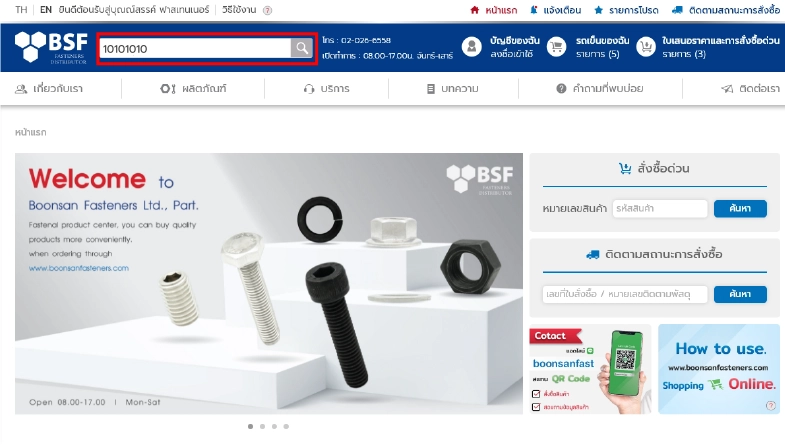
- via Search products by product code
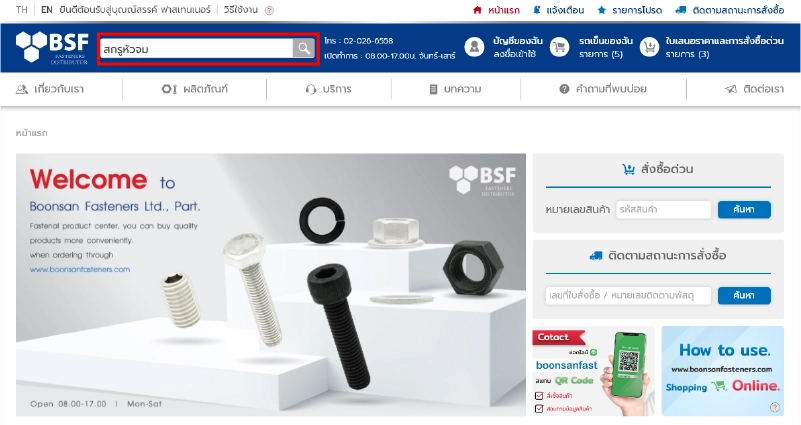
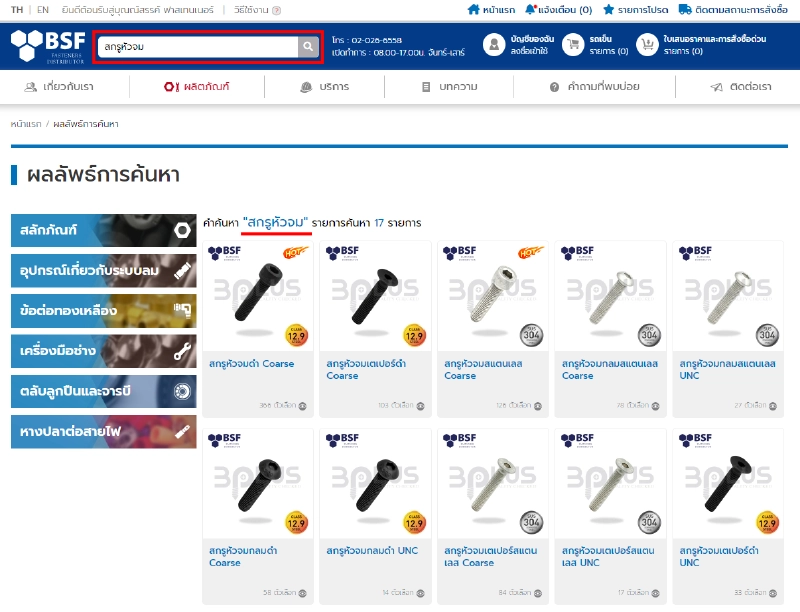
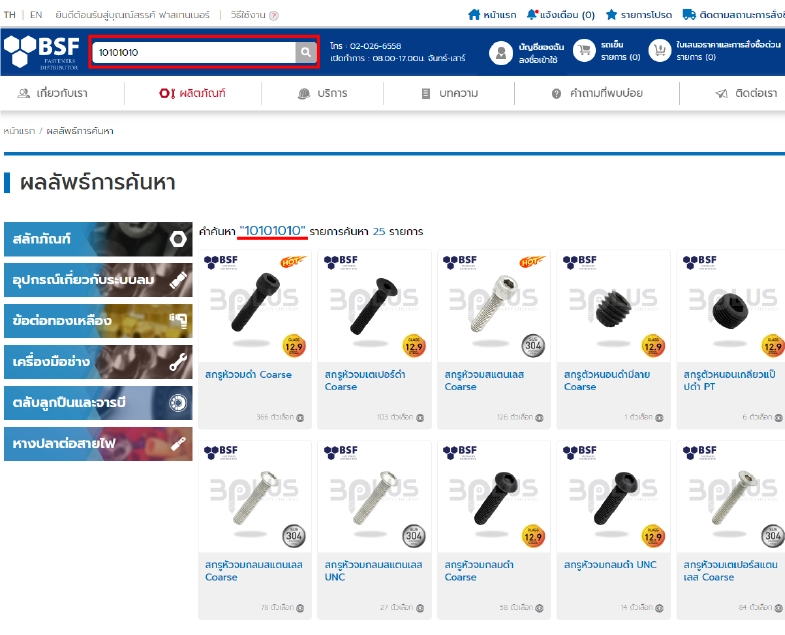
On the website's homepage (Top page), enter your search terms in the search box, then click Search or press Enter on your keyboard. Related product images will be displayed based on your search query, making product searches more efficient. This allows you to select products accurately and save time browsing through items.
Search by Category
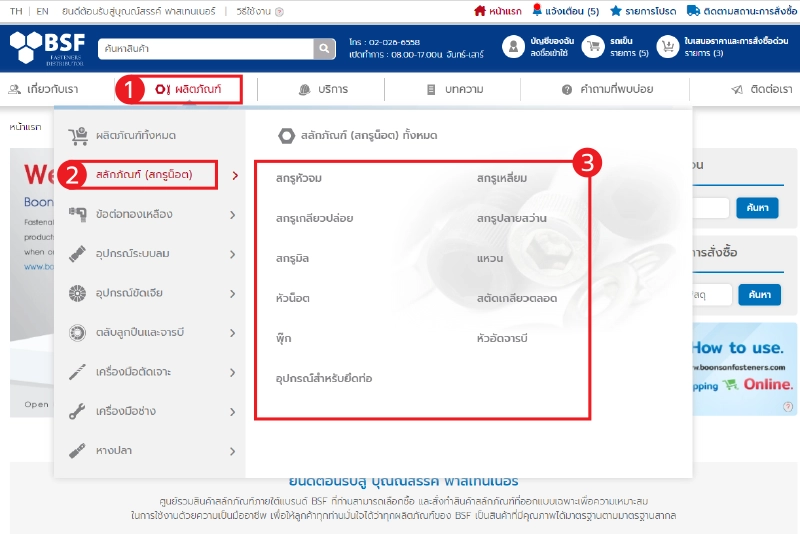
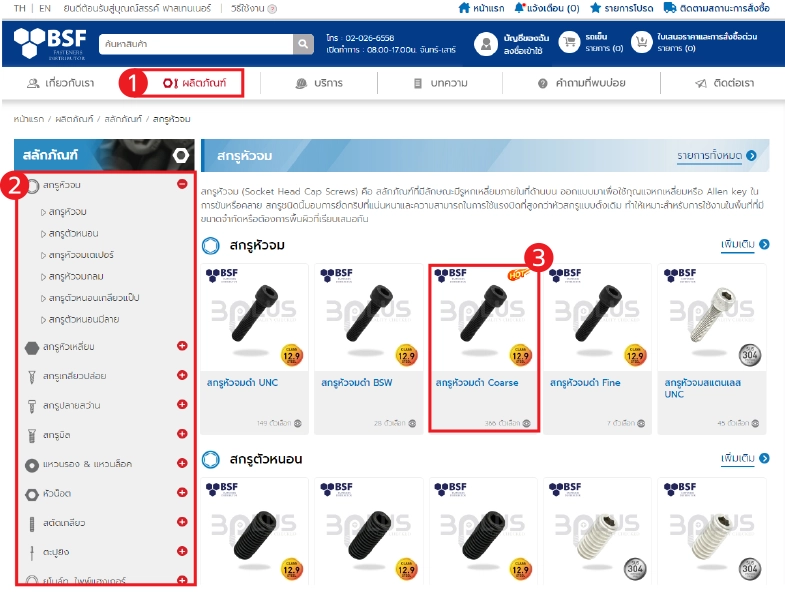
1. To perform a product search, please hover your mouse over “Products” on the main navigation bar, located below the product search box in the top menu.
2. Select a subcategory, and a list of sub-subcategories will appear.
3. Choose a sub-subcategory to navigate to the product listing page. v
Product Selection
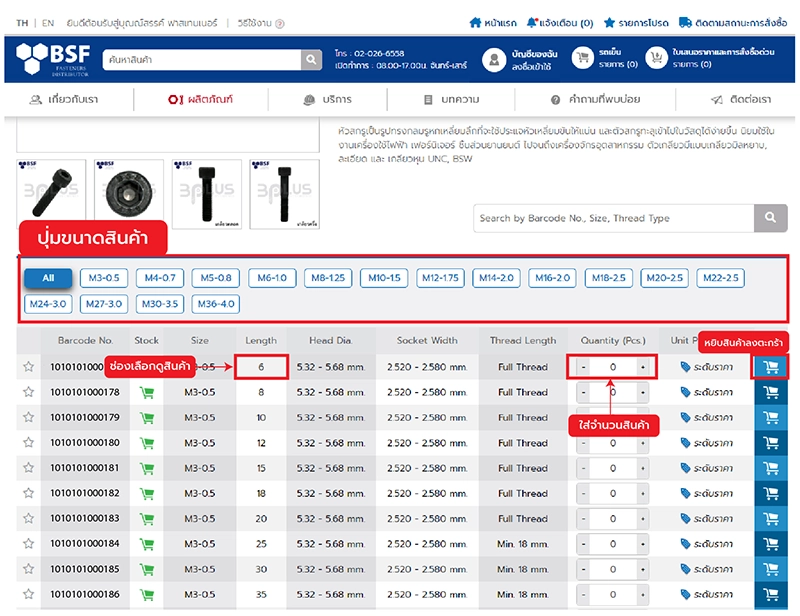
Select a product on the product page. After clicking to select a product, notice the area below the product image where you'll find size selection buttons. Once you click to select, you can view the product dimensions in the Size (d x l) field. After selecting the desired size, enter the quantity and click "Add to My Cart" to add the item to your cart and proceed to checkout.
Price Check
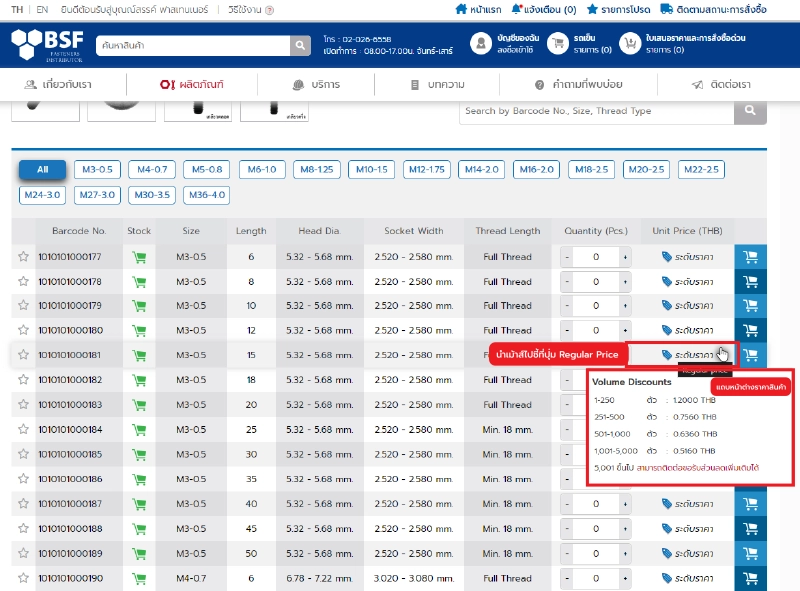
Users can check prices before placing an order by going to the desired product page, then hovering the mouse over the "Regular Price" field. A price window will appear.


Contact
Boonsan Fasteners Limited Partnership.
1874, 1874/1-3 Moo 4, Soi Narai 2,
Theparak Road, Mueang District,
Samut Prakan Province, 10270
Tel. : 02-026-6558
Open : 08.00-17.00 Mon-Sat
 Boonsanfast
  @boonsanfast
  www.boonsanfasteners.com
  ecom_order@boonsanfasteners.com
 Payment Method